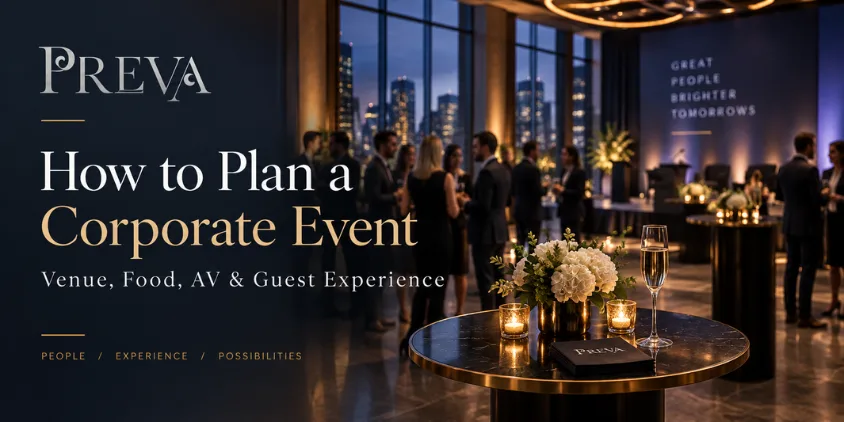
A corporate event can have an impressive venue, good food, and a full guest list and still fail to achieve what the business actually needed.
Why?
Because successful corporate events are built around a purpose, not around a collection of event features.
A client appreciation dinner has a different job from an employee celebration. A networking mixer should not be organized like a training session. A leadership dinner needs a different atmosphere from a product presentation.
So before choosing the menu, booking entertainment, or deciding how the room should look, answer one question:
What should attendees think, feel, know, or do differently after this event?
This guide explains how to plan a corporate event by connecting the business objective with the venue, food, AV, agenda, speakers, networking, branding, and overall guest experience.
How Do You Plan a Corporate Event?
To plan a corporate event, begin by defining its business purpose and audience. Set a realistic budget and estimated attendance, choose an event format and venue that support the objective, build the agenda, plan food around the schedule, confirm AV requirements, communicate clearly with attendees, and create a detailed run of show for event day.
A practical planning order is:
- Define the business goal.
- Identify the audience.
- Set the budget.
- Choose the event format.
- Estimate attendance.
- Select the venue.
- Build the agenda.
- Plan food and beverages.
- Confirm AV and speaker requirements.
- Design networking and guest interaction.
- Coordinate vendors and responsibilities.
- Prepare for event day.
- Follow up afterward.
Getting those decisions right in the right order prevents the event from becoming a collection of disconnected tasks.
1. Start With the Business Goal
Before looking for venues, define why the event exists.
Try writing the purpose in one sentence.
For example:
“Bring our key clients together and strengthen relationships.”
“Recognize employees after reaching an important company milestone.”
“Introduce a new product to partners and prospective customers.”
“Create an environment where employees from different departments can connect.”
Corporate events may support:
- Client appreciation
- Employee recognition
- Team building
- Networking
- Product launches
- Leadership meetings
- Training
- Company milestones
- Holiday celebrations
- Recruitment
- Partner relationships
- Brand experiences
Once the objective is clear, use it to evaluate every major planning decision.
If something does not support the goal or improve the attendee experience, ask whether it really needs to be part of the event.
2. Define Who the Event Is For
The audience should influence the event just as much as the objective.
An executive dinner for senior leaders should not feel like a company-wide celebration. A client gathering should not automatically use the same format as an internal team event.
Identify who will attend:
- Employees
- Executives
- Clients
- Prospects
- Business partners
- Investors
- Vendors
- Media
- Industry professionals
- Guests or spouses
Then think about the relationships within that audience.
Do attendees already know one another?
Will introductions be necessary?
Are they attending voluntarily or as part of work?
Are some people traveling from outside the area?
Does the group expect a formal business environment or something more social?
These answers influence the venue, agenda, menu, room setup, communication, and overall tone.
3. Set the Budget Around Priorities
Do not divide the budget equally across every category.
Spend according to what matters most for the event’s purpose.
Corporate event expenses can include:
- Venue
- Food
- Beverages
- AV
- Speakers
- Entertainment
- Photography or video
- Branding
- Signage
- Rentals
- Staffing
- Transportation
- Registration materials
- Vendor costs
A presentation-heavy event may need more AV support.
A client appreciation dinner may place more emphasis on food, service, and atmosphere.
A networking event may benefit more from the right room configuration than elaborate décor.
One useful way to prioritize spending is:
Essential
The event cannot function properly without it.
Important
It significantly improves the experience or supports the business goal.
Optional
It is worthwhile only if the remaining budget allows.
This makes later budget decisions much easier.
4. Decide What Type of Corporate Event You Are Hosting
“Corporate event” covers many different experiences.
The format should match the business objective.
Client Appreciation Event
Hospitality and relationship-building should take priority.
Avoid turning the evening into an extended sales presentation.
Networking Event
The room and schedule should encourage movement and conversation.
Do not keep guests seated for most of the event if networking is the primary objective.
Employee Celebration
Recognition and social interaction may be more important than formal company updates.
Keep speeches focused.
Leadership Dinner
Privacy, conversation, food service, and comfortable seating may matter more than elaborate production.
Presentation or Product Event
Sightlines, AV, room orientation, timing, and audience attention become higher priorities.
Team Gathering
The event should help coworkers interact outside their normal working environment.
Defining the format first makes venue selection much more precise.
5. How Do You Choose a Corporate Event Venue?
Choose the venue based on the purpose, audience, agenda, and atmosphere, not appearance alone.
Consider:
- Expected attendance
- Event format
- Seating requirements
- Presentation needs
- Networking space
- Food and beverage requirements
- Privacy
- Accessibility
- Arrival experience
- Vendor requirements
- Setup access
- Event timing
- Overall atmosphere
If PREVA is one of the venues under consideration, businesses can explore PREVA’s corporate event information to understand how the venue positions itself for professional gatherings.
Corporate-specific capacity, room configurations, pricing, services, or event inclusions should still be confirmed directly for the proposed event.
6. Match the Room Setup to What Attendees Will Actually Do
Do not begin with:
“How many tables can we fit?”
Start with:
“What will attendees be doing throughout the event?”
A networking event needs room for movement.
A presentation requires clear sightlines.
A corporate dinner needs seating that supports conversation and food service.
An event combining several activities may need multiple functional zones.
These might include:
- Arrival or registration
- Main seating
- Presentation area
- Networking area
- Food service
- Beverage service
- Speaker area
- Brand display
- Photography
- Entertainment
One space may support several functions, but only when those functions are considered together.
If you want to physically evaluate whether a venue can support that setup, the Event Venue Walkthrough guide covers guest flow, sightlines, electrical access, vendor routes, restrooms, accessibility, and other on-site factors.
That keeps the two resources distinct:
this article = complete corporate-event planning
walkthrough article = physical venue inspection
7. Build the Agenda Before Finalizing the Details
The agenda is the backbone of the event.
You do not need to schedule every minute, but you should understand the sequence.
For example:
Guest arrival
→ Networking
→ Welcome
→ Presentation or recognition
→ Food
→ Conversation or entertainment
→ Closing
→ Departure
Another event might use:
Registration
→ Opening remarks
→ Panel discussion
→ Break
→ Main presentation
→ Networking
Once the agenda is clear, several other decisions become easier.
You can determine:
- When food should be served
- What AV is required
- When speakers need to arrive
- How long the venue is needed
- When networking should happen
- When vendors need access
Do not plan food, technology, and programming as separate activities.
They all need to support the same event flow.
8. Keep Presentations Focused
Corporate events often lose energy when too many people want speaking time.
Ask whether every piece of information genuinely needs to be presented live.
Some information may work better:
- Before the event
- In a handout
- On a display
- In a follow-up email
- After the event
The live program should make good use of the fact that everyone is together.
If the event is designed to recognize employees, do not turn most of the evening into a business update.
If the goal is networking, do not consume most of the schedule with speeches.
Protect the reason people are attending.
9. Plan Food, Menu Timing & Dietary Needs
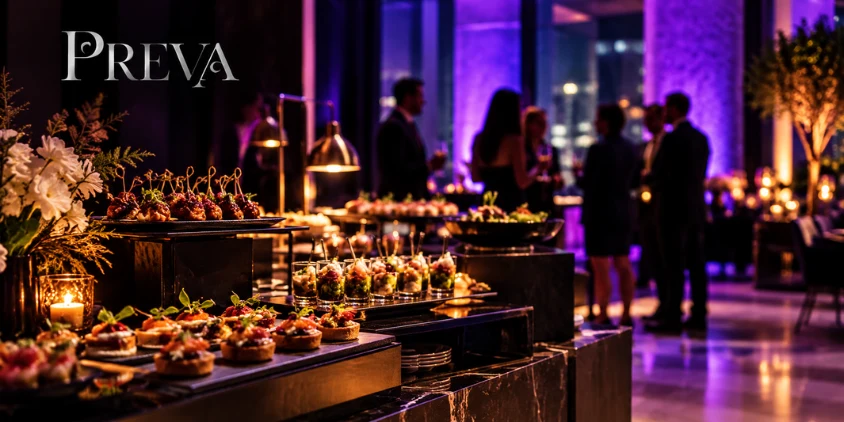
Food planning is not simply about choosing dishes.
It needs to work with the event schedule and the way attendees will interact.
Seated Corporate Dinner
A seated meal can work well when hospitality, conversation, or client relationships are central.
Networking-Style Food
A more flexible food format may make sense when guests need to continue moving and talking.
Food Before the Program
Serving food early can prevent hunger from becoming a distraction during presentations.
Food After the Program
Food afterward can encourage guests to remain at the venue and continue conversations.
Scheduled Meal Break
This may work well for longer training sessions, workshops, or meetings.
The most important question is:
When does eating make sense within the event experience?
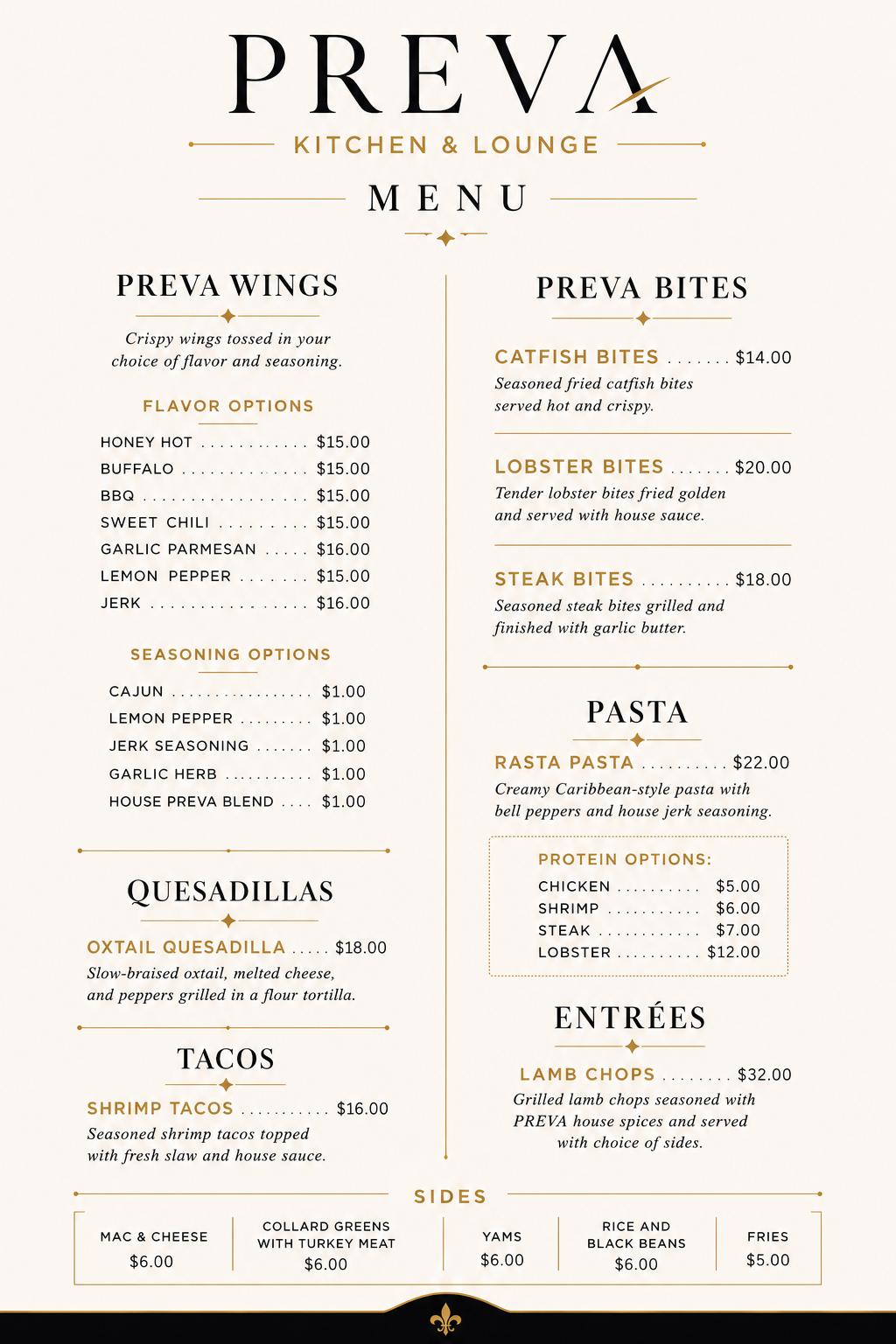
If PREVA is under consideration, corporate planners can review the current PREVA Kitchen menu to understand the restaurant’s regular food direction.
However, the public restaurant menu should not automatically be treated as a corporate-event menu or corporate package.
For the specific event, confirm:
- Available food or menu options
- Service style
- Dietary accommodations
- Timing
- Pricing
- Event-specific arrangements
Dietary requirements should also be gathered early when relevant.
Consider asking attendees about:
- Food allergies
- Vegetarian requirements
- Religious dietary needs
- Other significant restrictions
The goal is not to create a different meal for every preference.
It is to identify important requirements early enough to discuss realistic options with the venue.
10. Build and Test the Corporate AV Plan
AV means audiovisual technology used to support the event.
The requirements should come from the agenda.
Potential needs may include:
- Microphones
- Speakers
- Screens
- Projectors or displays
- Presentation connections
- Video playback
- Lighting
- Internet connectivity
- Cameras
- Recording
- Video conferencing
Do not begin with a generic equipment list.
Go through the program activity by activity.
Opening Remarks
Does the speaker need amplification?
Slide Presentation
How will the presentation be displayed?
Video
Can the audience see and hear it comfortably?
Panel Discussion
How many microphones are required?
Remote Participant
Does the program require internet access, a camera, microphones, speakers, or conferencing technology?
Entertainment
What technical equipment is required?
Once the requirements are clear, determine what the venue provides and what needs to come from another provider.
For PREVA specifically, built-in corporate AV capabilities should be confirmed directly with the events team rather than assumed.
Do not assume screens, microphones, projectors, presentation systems, Wi-Fi, cameras, recording equipment, or conferencing technology are automatically included.
Test Before Guests Enter
Anything the program depends on should be tested before the audience arrives.
Check:
- Presentation files
- Video playback
- Audio
- Microphones
- Screens
- Speaker laptops
- Adapters
- Internet-dependent content
- Remote connections
Then stand where the audience will be.
Can someone at the back read the slides?
Can they hear the speaker?
Is anything blocking the screen?
Technology is successful only when it works for the audience.
11. Give Speakers a Clear Brief
Speakers need more than a calendar invitation.
Before the event, provide:
- Arrival time
- Speaking time
- Presentation length
- Audience profile
- Topic
- AV setup
- File requirements
- Speaking order
- Whether Q&A is included
- Event-day contact person
If presentation files need to be submitted early, establish a deadline.
Clear speaker communication reduces last-minute changes and helps the event stay on schedule.
12. Design Networking Instead of Simply Scheduling It
Writing “Networking – 30 minutes” on the agenda does not guarantee meaningful networking.
Think about what makes conversation easier.
Ask:
- Do attendees already know one another?
- Would introductions help?
- Is the room comfortable for conversation?
- Are people stuck in fixed seating?
- Are there natural places for small groups to form?
- Is enough time actually available?
At some corporate events, the conversations between formal agenda items create more value than the presentations themselves.
Give those conversations room to happen.
13. Use Branding With Purpose
Corporate branding should make the event feel intentional without overwhelming attendees.
Possible elements include:
- Welcome signage
- Company logo
- Presentation templates
- Digital screen content
- Product displays
- Name badges
- Photo backdrop
- Table materials
Ask what each branded element is helping the guest understand.
Ideally, branding answers:
Who is hosting this?
Why are we here?
What should attendees remember?
You do not need the company logo on every available surface.
Strong event branding creates consistency without distracting from the experience.
14. Make Guest Communication and Registration Easy
Attendees should not need to search through multiple messages to understand the event.
Communicate practical information clearly:
- Event purpose
- Date
- Start time
- End time
- Venue
- RSVP process
- Dress expectations
- Parking or arrival instructions
- Whether food will be served
- Anything attendees need to bring
Registration should also match the size and complexity of the gathering.
A small client dinner may only need a guest list.
A larger event may require:
- Name badges
- Registration desk
- Check-in staff
- Guest categories
- Printed materials
Choose the simplest system that still works.
Too much process creates friction.
Too little organization creates confusion.
15. Design the Arrival Experience and Leave Room in the Agenda
The first few minutes matter.
Imagine arriving as a guest who knows nobody.
Can you tell where to go?
Is someone there to welcome you?
Do you know whether you need to check in?
Can you see where to sit or gather?
Is something happening, or are people simply standing around waiting?
The first 15 minutes can influence how comfortable attendees feel during the rest of the event.
At the same time, avoid creating an agenda so tight that any small delay causes the entire event to fall behind.
Remember that guests need time to:
- Arrive
- Check in
- Find seats
- Use restrooms
- Get food or drinks
- Move between activities
- Have conversations
If a presentation ends at 6:30 PM, dinner does not necessarily begin at exactly 6:30 PM.
Transitions take time.
A schedule that only works when everything happens perfectly is not a realistic schedule.
16. Create One Run of Show With Clear Owners
The event team should operate from one master timeline.
Include:
- Venue access
- Vendor arrival
- Setup
- AV testing
- Staff briefing
- Speaker arrival
- Registration opening
- Guest arrival
- Welcome
- Presentations
- Food service
- Networking
- Entertainment
- Closing
- Guest departure
- Breakdown
Then assign ownership for the areas that matter.
These may include:
- Venue communication
- Guest list
- Speakers
- AV
- Food
- Vendors
- Photography
- Registration
- Executive guests
- Event timing
A small event may have one person responsible for several categories.
That is fine.
What matters is that important responsibilities are not shared so vaguely that nobody truly owns them.
Ask:
Who tells the speaker they have five minutes left?
Who confirms the food timing?
Who handles an AV problem?
Who welcomes an important client arriving late?
Who communicates final changes to the venue?
Clear ownership reduces event-day confusion.
17. Build a Simple Backup Plan
You cannot predict every problem.
You can prepare for the problems most likely to damage the event.
Potential disruptions include:
- Speaker cancellation
- Laptop failure
- Video playback problems
- Internet issues
- Attendance changes
- Food delays
- Vendor delays
- Agenda overruns
Create simple alternatives.
For example:
Presentation fails → backup copy is available.
Speaker is delayed → change the agenda order.
Networking runs longer → shorten a nonessential announcement.
Internet fails → continue with an offline version where possible.
You do not need a complicated emergency manual.
You need workable alternatives for the failures that matter most.
18. Plan the Departure and Post-Event Follow-Up
The guest experience does not end with the closing remarks.
Think about departure too.
Consider:
- Final announcement
- Thank-you message
- Transportation
- Coat retrieval
- Take-home materials
- Contact information
- Clear next steps
If you want attendees to schedule a meeting, complete a survey, contact someone, or visit a resource afterward, make that action easy to understand.
Then continue the business value after the event.
Depending on the objective, follow-up may include:
- Thank-you email
- Presentation materials
- Event photographs
- Feedback survey
- Sales follow-up
- Client outreach
- Employee recognition
- Internal recap
- Next meeting
- Event highlights
Return to the original goal.
If the event was designed for networking, did useful connections happen?
If the goal was employee recognition, did people feel recognized?
If the objective was creating business conversations, were next steps captured?
Attendance alone does not prove success.
The real question is whether the event achieved what it was designed to achieve.
Corporate Event Planning Timeline
Instead of following one universal schedule, work backward from the event date.
Early Planning
Define:
- Business objective
- Audience
- Working budget
- Event format
- Preferred date
- Expected attendance
- Venue requirements
Once the Venue Is Selected
Develop:
- Agenda
- Room layout
- Food plan
- AV requirements
- Speakers
- Vendors
- Registration process
- Branding
- Guest communication
As the Event Approaches
Confirm:
- RSVPs
- Dietary needs
- Final agenda
- Speaker files
- AV setup
- Food timing
- Vendor arrival
- Staff responsibilities
- Attendee instructions
Before Guests Arrive
Verify:
- Room setup
- Registration
- Signage
- AV
- Presentation files
- Speaker readiness
- Food timing
- Staff positions
- Run of show
By this stage, avoid adding unnecessary new ideas.
Focus on execution.
Planning a Corporate Event at PREVA?
If you are considering PREVA for a client gathering, networking event, employee celebration, company occasion, or another professional gathering, begin with a clear understanding of the business objective and event requirements.
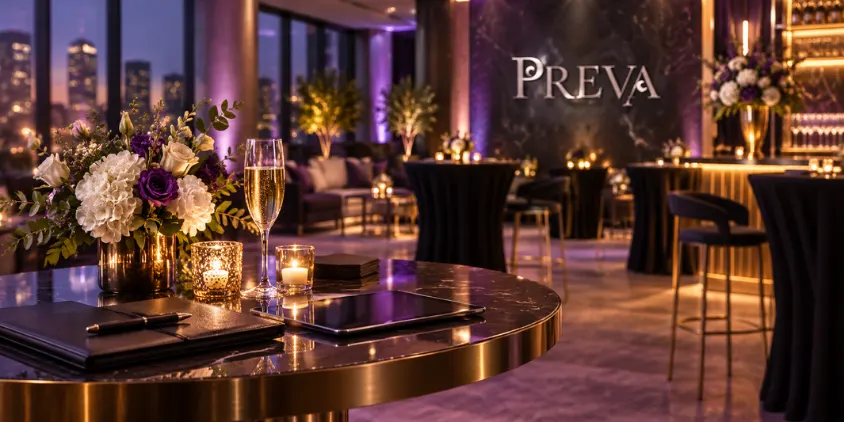
Businesses can learn more about hosting corporate events at PREVA before discussing their specific event with the team.
It helps to have:
- Preferred date
- Estimated attendance
- Corporate event type
- Business objective
- Desired format
- Food or menu needs
- Beverage preferences
- Presentation requirements
- AV requirements
- Approximate agenda
- Branding needs
- Vendor requirements
- Accessibility considerations
Once the initial plan is taking shape, you can also start discussing the broader event details with PREVA.
Corporate-event capacity, room configuration, food arrangements, AV capabilities, internet availability, furniture, parking arrangements, setup access, staffing, pricing, and inclusions should all be confirmed specifically for the event.
Do not assume that regular dining, nightlife, or VIP arrangements automatically apply to private corporate events.
Frequently Asked Questions
What Is the First Step in Planning a Corporate Event?
Start by defining why the event exists and what outcome the business wants.
That goal should guide the audience, venue, agenda, food, AV, speakers, and guest experience.
How Do You Choose the Right Corporate Event Venue?
Choose a venue based on attendance, purpose, room layout, agenda, technical needs, food requirements, privacy, accessibility, and atmosphere.
Do not select a venue on appearance alone.
What Food Works Best for a Corporate Event?
The best food format depends on the agenda and event style.
A client dinner may suit seated service, while a networking event may benefit from food that allows guests to continue moving and talking.
What Does AV Mean in Corporate Event Planning?
AV means audiovisual technology used for presentations, speeches, videos, entertainment, and other event activities.
It can include microphones, speakers, screens, projectors, displays, playback equipment, internet-dependent technology, and other technical systems.
How Do You Make a Corporate Event More Engaging?
Keep presentations focused, make conversation easier, build realistic breaks into the agenda, give attendees opportunities to interact, and remove unnecessary friction from the experience.
How Do You Improve the Guest Experience at a Corporate Event?
Make the entire journey simple.
Provide clear communication, make arrival and registration easy, ensure attendees can see and hear the program, schedule food logically, and give people enough time to interact.
Do You Need a Corporate Event Run of Show?
For events involving several speakers, vendors, presentations, food service, or scheduled activities, a run of show is highly useful.
It should explain what happens, when it happens, and who is responsible.
What Should Be Tested Before a Corporate Event?
Test anything the program depends on, including presentations, microphones, video, audio, display systems, remote connections, and internet-dependent elements.
Always check the experience from the audience’s position too.
Make the Business Goal the Center of the Event
The easiest way to overcomplicate a corporate event is to treat every planning element as equally important.
They are not.
Start with the business goal.
Then decide what attendees need to experience for that goal to happen.
Choose the venue around the format.
Build the agenda around attention.
Plan food around the schedule.
Build the AV plan around the actual program.
Give networking enough space.
Brief speakers properly.
Create one run of show.
Assign clear owners.
Plan for the most important failures.
And make the attendee journey easy from invitation through follow-up.
That is the foundation of understanding how to plan a corporate event successfully.
The venue, food, AV, branding, speakers, and entertainment should all support the same outcome—not compete for attention.